Buy anything from 5,000+ international stores. One checkout price. No surprise fees. Join 2M+ shoppers on Desertcart.
Desertcart purchases this item on your behalf and handles shipping, customs, and support to Vanuatu.
🚚 Stay ahead of the curve with Linxup – your fleet's best friend!
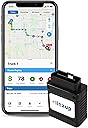
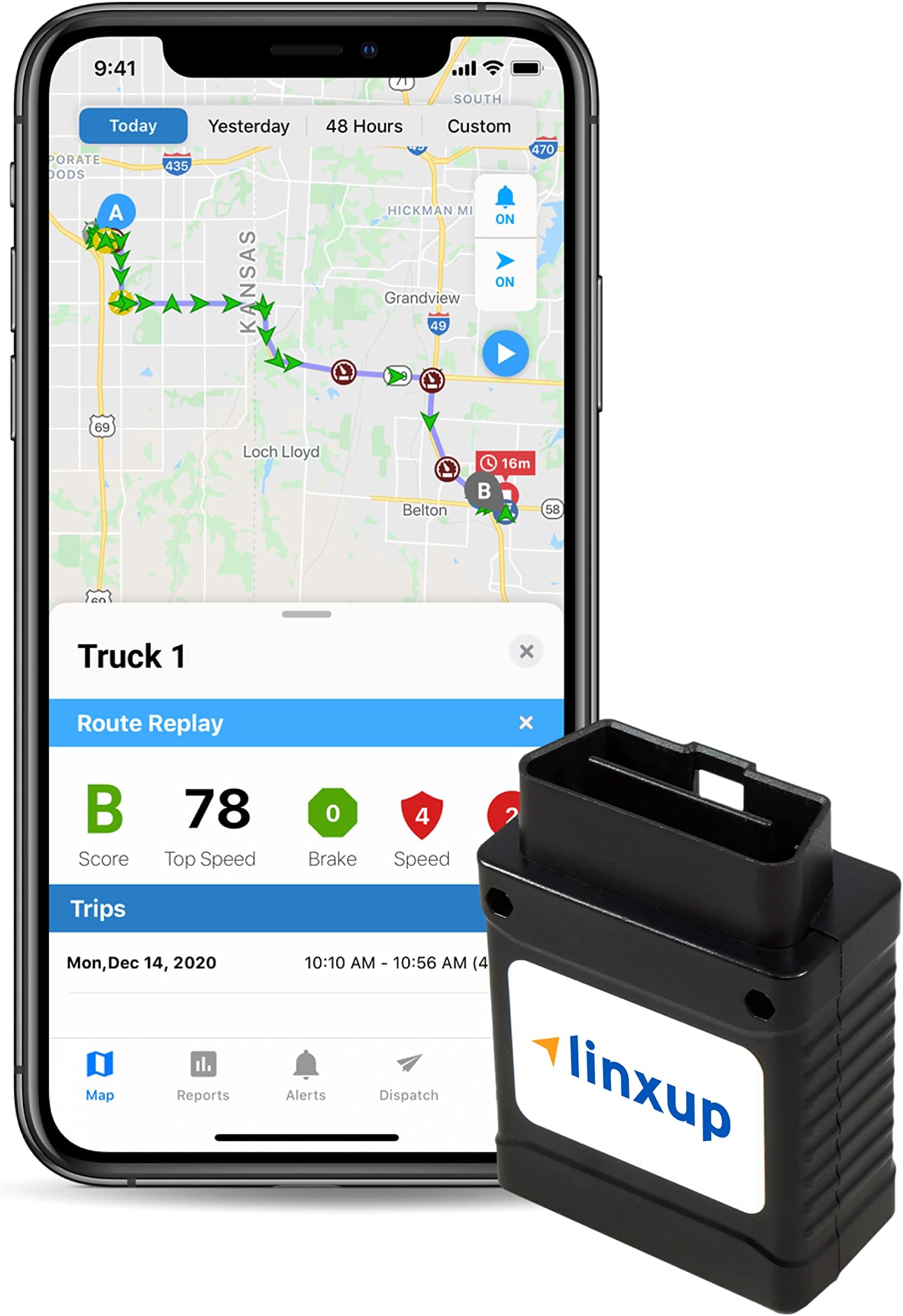
The Linxup Fleet GPS Tracker is a cutting-edge solution for real-time vehicle tracking and monitoring, designed specifically for fleet management. With its advanced GPS technology, users can effortlessly monitor vehicle locations, performance metrics, and receive instant alerts, all while enjoying a cost-effective subscription model. Compatible with smartphones and offering a limited lifetime warranty, this device ensures that your fleet operates efficiently and safely across the US, Canada, and Mexico.


| ASIN | B006TZGJDC |
| Additional Features | US, Canada, and Mexico tracking only |
| Best Sellers Rank | #266,665 in Electronics ( See Top 100 in Electronics ) #1,307 in GPS Trackers |
| Brand | Linxup |
| Built-In Media | Linxup OBD GPS Tracker with installation and activation instructions for 4G cellular data |
| Compatible Devices | Smartphone |
| Connectivity Technology | Wireless |
| Customer Reviews | 3.6 out of 5 stars 783 Reviews |
| Enclosure Material | Plastic |
| Global Trade Identification Number | 00713757448208 |
| Item Dimensions | 2 x 1.8 x 1 inches |
| Item Type Name | LPVAS1 |
| Item Weight | 2 Ounces |
| Manufacturer | Linxup |
| Material | Plastic |
| Mfr Part Number | LPVAS1 |
| Model Number | LPVAS1 |
| Special Feature | US, Canada, and Mexico tracking only |
| Specific Uses For Product | Fleet Management |
| Supported Application | Alarm |
| UPC | 713757448208 |
| Warranty Description | Limited 1 year manufacturer's warranty |
I**K
Fantastic piece of hardware
I did some research and found multiple solutions that essentially offer the same service, real-time GPS monitoring with the ability to setup alerts and zones. What stood out with Linxup for me was a few things: 1. No external power source needed. Power comes straight from the car 2. Discreet solution that fits in the car without it ever being noticed if so desired 3. Reasonable monthly costs at about $20/month with no long term contract commitments 4. Mobile apps for the iPhone and Android which is important for me because viewing web pages on the phone is not always a pleasant experience 5. Reasonable upfront cost at $99 6. Excellent customer service when I called to activate the device. I called before business hours, left a voice mail and someone actually called me within 10 minutes of their opening business hours. I got the device activated and the data started flowing within an hour. I don't write reviews very often even though I am an avid Amazon shopper but considering how much time it took me to sift through all the options to find a great solution, I wanted to share my experience with other shoppers to hopefully assist with cutting down the research time. Installation took less than 10 seconds.
K**5
Easy To Install But Does Not Work As It Should
Pros: Quick and easy to install simply plug it into the obd-ii port. Cons: Where to even start. I installed this on a 2013 Kia Soul. The first issue was when I went to activate it. The online registration kept telling me I already had a account when I knew i did not and it would not go to the end of the registration. I just decided to check my email and low and behold it said i was registered and I could log in to add the devise. Registering the devise was quick and easy. Next off first test run!! Drove from in town to my warehouse. Came inside and logged on the the webmin using my pc and it showed the address perfect. I was pretty excited to say the least. Then i drove to the house and went in and again checked the webmin using my pc, again perfect address. The first "downer" was it does not show a actual path that was driven but it was a straight line like i went threw peoples houses and fields to get to my house. Was a bit of a let down but it could live with it. Loaded the app on my android and it only showed a google maps view of the cars location and noting else. There are no other features on the app. That to me makes it useless if it will not even tell you a address the car is at. The next day i log back into the webmin and look at the generated history reports. Every location that i stopped at had a 100% inaccurate address. This was a final blow for me as what is the point of the gps if it cannot log the proper stops a vehicle makes. Kind of defeats the purpurse. Logged into live chat to ask abot the issues, was told they only offer support threw phone not threw live chat. Guess live chat is only their to sell you something. No problem, I bought this from Amazon i will just return it and get a different model as i have already had too many issues to even deal with this thing any more. Get back in with live chat and ask how i cancel my plan so it does not auto bill be on the 1st and yep you guessed it, you have to call support. You cannot make any modifications to your billing on line, you have to call. Called in and got support. My first phone call was a total of 28 minutes. I spoke with support and was told that Linxup was haing "server issues" which was causing the issues with the incorrect address being placed in the reports and that I should give it a bit more time to try it. I took that hard sale and said sure, i had 2 more days before the auto rebill to call back and cancel. While i had them on the phone I asked about the phone app and was told that it should show a address and they asked me what phone. I advised them it was a android. She put me on hold and came back and said she was mistaken that it would only show a google map image of where the vehicle is not a actual address. I was like um ok no biggie my wife has a Iphone, she then assured me it would work on Iphone with no issues. Phone call one is done. About 30 minutes later i get a email saying that they have set me up with a RMA and the reason was I ordered the wrong devise. I did not order the wrong one nor request the RMA. So I replied threw email that they sent that to the incorrect person. A bit later I logged back into my webmin and my entire account was bare and it did not show any devises. I was like wth. Phone call #2 which took about 15 minutes total. Informed the support staff what happened and was put on hold. Came back shortly and everything was back to normal again. Fast forward to lunch i meet with my wife and load the app on her Iphone. It is the exact same as on the android it does not show a single address only a google maps image of where the vehicle is with no other data. Basically the app is useless. If you are buying it for that save yourself some time and get something else. Now the killer blow the unit has not updated in the last 6 hours. Car has been all over and it does not show to have even moved a inch. So much for "real time". Not sure when this thing will actually update but it will be out of my car tonight and back to Amazon tomorrow. Total waste of time and energy. Makes me wonder how a product as bad as this gets so many "5 star" ratings. Inquiring minds want to know!
A**G
Peace of Mind!
I use this device to keep track of my aging father. His driving skills are still good, but he gets lost sometimes and can't figure out how to find his way home on a map, so I use this device to make sure my dad is not travelling away from his usual routes and to help him get back on track if he gets lost. When dad gets lost, I give him some time to get back on track, but if doesn't get back on track after a while, I call his cell and get him back on track (if he doesn't call me first). I've been using this device for a couple of months and so far it works as advertised. This device has tracked accurately in rural and suburban areas between Houston and Austin and within both those large cities. Tracking is slightly delayed or slightly inaccurate alongside or under elevated freeways, in parking garages, etc. Otherwise, location accuracy is very good--usually within twenty feet and always close enough for the purpose. (When dad goes to WalMart, I can tell he's parked in the handicapped spaces close to the front doors.) Email and text alerts have arrived instantly in real time, except for one brief period when they were delayed by about twenty minutes. On that one occasion, which lasted only for about half an hour, although the text and emails alerts were delayed, the online data was still up to the minute. The iPhone app is adequate, but doesn't display as much data as the online page. The calendar date on the app does not update automatically. Instead, to display up-to-date data of routes traveled, you have to be sure to manually change the date on the iPhone app every day or the display of routes traveled will show you old data. However, even if you forget to update the date manually, text and email alerts still get sent out in real time. This device updates once a minute when the vehicle engine is running, and every hour when the vehicle engine is not running. Linxup does NOT alert you immediately if the device has been removed, but if an hour or two goes by without a data update, you could probably assume the device has been removed or is not working. Also, if twelve hours go by without an update, Linxup will send you an alert. The device cannot work if it's not plugged in because it has no internal power source. However, it does not drain the car battery significantly because when the engine is stopped, alerts are reduced to once an hour. Both the web page display and the iPhone app are "static" in the sense that they do not show "actually live movement" but only the vehicle's past location at a series of one minute intervals when the car is moving. To display the most recent location data from the most recent update, you have to click the update button. Although "actual live movement" would be nice, clicking the update button to receive the most recent location data is perfectly adequate way to track up to the minute movement. If you are reasonably tech savvy, it's easy to set up "fences" and alerts on the user friendly Linxup web page. The web page also has instructional step by step videos to show you how to set up fences and alerts. I created a lot of fences of various shapes and sizes to track my dad's progress on his usual routes (i.e., frequent trips to WalMart, trips to church on Sunday, trips to Wendy's for a baked potato, trips to my sister's house, etc.). I get a text alert when he leaves his house, and at various points along his usual routes where I have created "fences," so I can tell where he's going and whether he's strayed off track. One little trick I use: Some people have noted that the device does not automatically send an alert when the vehicle's engine starts. Well, I figured out a way to get around that. There is a setting that allows you to set specific hours when the vehicle is "authorized" to be used. For example, an employer might set the "authorized" use time as 7:30 am to 6:30 pm for a delivery truck, Then the employer would set up an email or text alert to be sent if the vehicle's engine is started during an "unauthorized" period. So I set the "authorized" use for my dad's car as 3:00 a.m. to 4:00 am on Tuesday morning. The effect of this is that whenever my dad starts his car (unless it's between 3 am and 4 am on Tuesday), I get an alert for an "unauthorized" use. Another little trick I use: I set up a separate email account to receive Linxup alerts and then set my iPhone to give that email account a special tone. I do not use that email account for anything else. So now, whenever I hear that special email tone, I know without even looking at my phone that "dad is on the move." A quick glance at my phone tells me which "fence" dad has crossed and that gives me a good idea of where he's heading. I set up fences around my dad's usual destinations, which alert me when dad arrives at this usual haunts and when he leaves them to go home. You must designate the alerts you want to receive and who should receive them. It's easy to do. You can set alerts to go to multiple different email or text accounts. You can authorize multiple persons to have access to track a device, and you can authorize more than one person to have the ability (administrative rights) to change alerts and fence settings. Setting up alerts and creating fences is quite easy. My sister and I both have access to the Linxup account for my dad. We both are able to create fences and designate the alerts we want to receive. I'm more nervous about my dad's adventures, so I have set things up to alert me every time he moves. My sister is less nervous, so she has set things up to receive alerts only if my dad goes waaaay off track. There's no extra charge for allowing multiple people to monitor the account, and you can monitor multiple devices on one account; however, there is a separate monthly charge for each device. This is a wonderful device. The monthly charge is well worth the peace of mind.
C**T
Works very well. Update to mobile software coming soon.
Got the device, installed and setup my account. All was easy and no problem. I can log on to the linxup web page and see my car right there. Right away I caught my teen son driving where he should not be driving. No car anymore, son! :) There is one very major problem, however. At least for me. The main reason I purchased the device was so that I can navigate to my car using my phone. So I downloaded the Linxup iPhone app and all it does it shows a static map with the device's location marked on it. However, the map is not responsive at all. I cannot extract the coordinates from the map, I cannot share it or send, I cannot tap on it, I cannot navigate from it, basically, I cannot do much with it. Just only look at it. If I want to navigate using my device's location then the only way to do it is to visually memorize the location, go to Google Maps and manually find the location from the visual memory and then navigate from there. I tried a different approach: launched the classic Linxup web page on my phone so that I could get all the navigation accessible from regular web. However, the classic Linxup web page is written in such a way that there is no chance to browse it on the phone. So I could not do it again. So the conclusion: the device does its job as a piece of hardware plus the desktop web application, however, the mobile software supporting it is not much usable right now. Edit: I contacted the customer support on the issue and they announced that the update to the mobile software will be available in the fall this year. And that will include navigation ability. Great news! And great customer support. Thank you! :)
T**E
Great GPS car tracking tool for family member with dementia or alzheimers
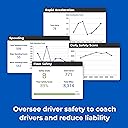
This is an awesome device. It is being used to track car use and location for an elderly family member in the early stages of dementia. IT has brought wonderful peace of mind. There is also a monthly fee thru linxup.com which is very reasonable. The installation was a piece of cake for a non-car person (me). The linxup website is easy to use. I have a geo-fence set-up that texts me when the car exits and returns. There is also an app for your phone. There is a scorecard that rates sudden stops and accelerations. I researched options and found this to be less expensive and had all the features that I needed. Monthly fee for the plan I chose is $23. I don't know how long this will be used at the moment so I purchased the device and pay the monthly fee. I found that it works quite well for one device/car. It could easily be used for teenagers.
K**N
Poor customer service / technical support
Product update, all units came online within 24 hours, tech support returned my call the following day and was very helpful. Product works as described. Purchased five GPS Units, four plug in & one hardwired. The only good thing so far is that they arrived promptly, after that it has been all down hill. I attempted to register 1st device online, was prompted to agree to terms & conditions when I attempted to select and read terms & conditions, "404 page not found" kept popping up. When I called in to tech. Support, because they could not help me online, I spoke with a young lady that seemed annoyed with my call, after some time the first device was supposed to be registered, monthly fee was taken from my account imediately. I have yet to get the device to come online, tried 2nd device with same results. I have made several attempts to reach tech. Support with no success. If I do not get results soon I will be returning all units.
H**Z
Great Product, Deceptive Billing Practices
I used Linxup to track my car and enjoyed features like fuel and battery monitoring. The product itself worked reliably, and the hardware did its job well. However, the experience soured when I tried to cancel my service. The web app was buggy during normal use, but when it came time to suspend my account, it suddenly worked perfectly—just not to help me unsubscribe. I even contacted Linxup’s customer service, and a representative assured me that my account would be canceled, and I wouldn’t be charged further. Unfortunately, this turned out to be untrue. Charges continued, even after I spoke to them, and they even billed a new card I added to my account. The lack of a straightforward way to unsubscribe and the misleading assurances from their customer service team make me wary of recommending Linxup. While the product itself is solid, the company’s billing and support practices leave a lot to be desired. Proceed with caution.
D**A
I HIGHLY RECOMMEND THIS DEVICE!!!
I put this item to the test ...and it passed. My son bought a 2015 Camaro convertible and had it shipped from Oceanside, CA to Atlanta, GA. I wanted a way to track the vehicles movements so I bought this for him. It snaps into the OBD port, and installation is complete. I bought this model because it works off the car's battery and has no wires. My son installed the app on his phone and activated the device. It immediately sent him the vehicle's VIN and other diagnostics. He tried to remove the device and it sent him a notification saying that his vehicle had been tampered with. The car hauler picked up the vehicle on a Tuesday. The app tracked the movements flawlessly. The vehicle sat at the hauler's location for 2 days, then on Thursday the driver called and said he was heading east. The app showed the car moving cross country. We knew every time the driver took a break because the app notified us when the car stopped moving. When the car was 100 miles from Atlanta my son called his friend who was taking delivery and let him know to be home in an hour. The driver arrived shortly thereafter. It also alerts my son when he is driving over the speed limit. If I had not purchased this device, shipping the car across country would have been a worrisome waiting game. I'm buying a new car soon and will get one for myself. It's peace of mind.
Trustpilot
1 month ago
1 month ago